ARBpa – Bloodstain Pattern Analysis in Augmented Reality

ARBpa is an innovative application designed for crime scene simulation, focusing on bloodstain pattern analysis. Utilizing augmented reality, it provides advanced tools for recognizing and analyzing blood droplet trajectories, making it an ideal tool for forensic education, training and more.

Application launch
This is the main page of the application as seen on an iPhone 16 Pro, but it will look similar on other devices as well. There are several buttons available. Since this is a virtual reality application, the first thing to do is to obtain the ‘green light’ in the top right corner, which indicates that the scanned planes have been successfully acquired and recognized.

Blue mode
The ‘blue mode’ allows you to insert metric references on the planes of interest. It is indicated by the blue button near the camera icon at the bottom right. “Metric references can be moved and rotated using the apropriate gestures. They can be removed with a long press.”
Setup
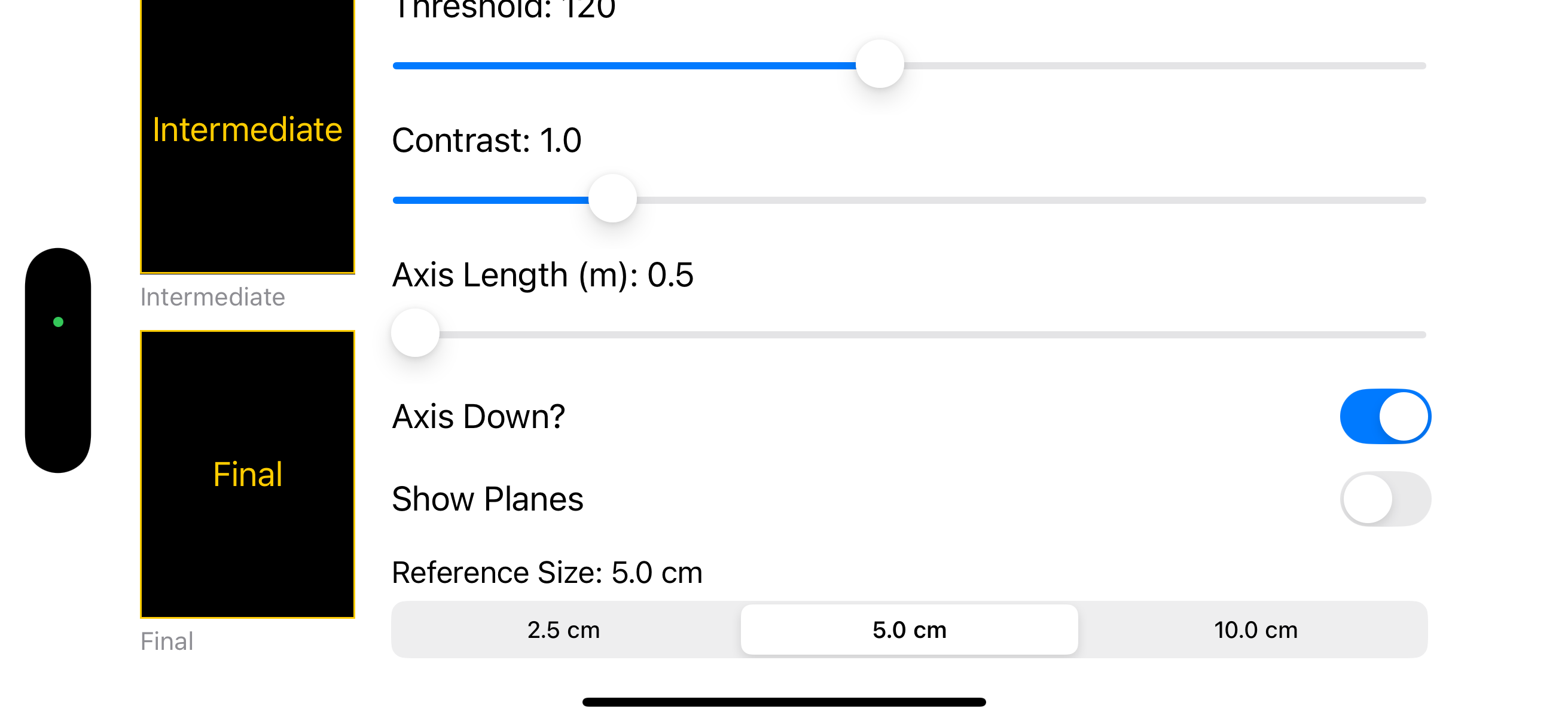
On the setup page, you can select the size of the metric reference.

Red mode
In ‘red mode,’ which is activated by pressing the blue button that turns red, we switch to the bloodstain recognition mode with trajectory generation. This is based on the well-known formula:
a = arcsin ( w / l )
where a is the impact angle, obtained from the arcsine of the ratio between the width (w) and length (l) of the ellipse formed by the blood droplet upon impact with the surface.
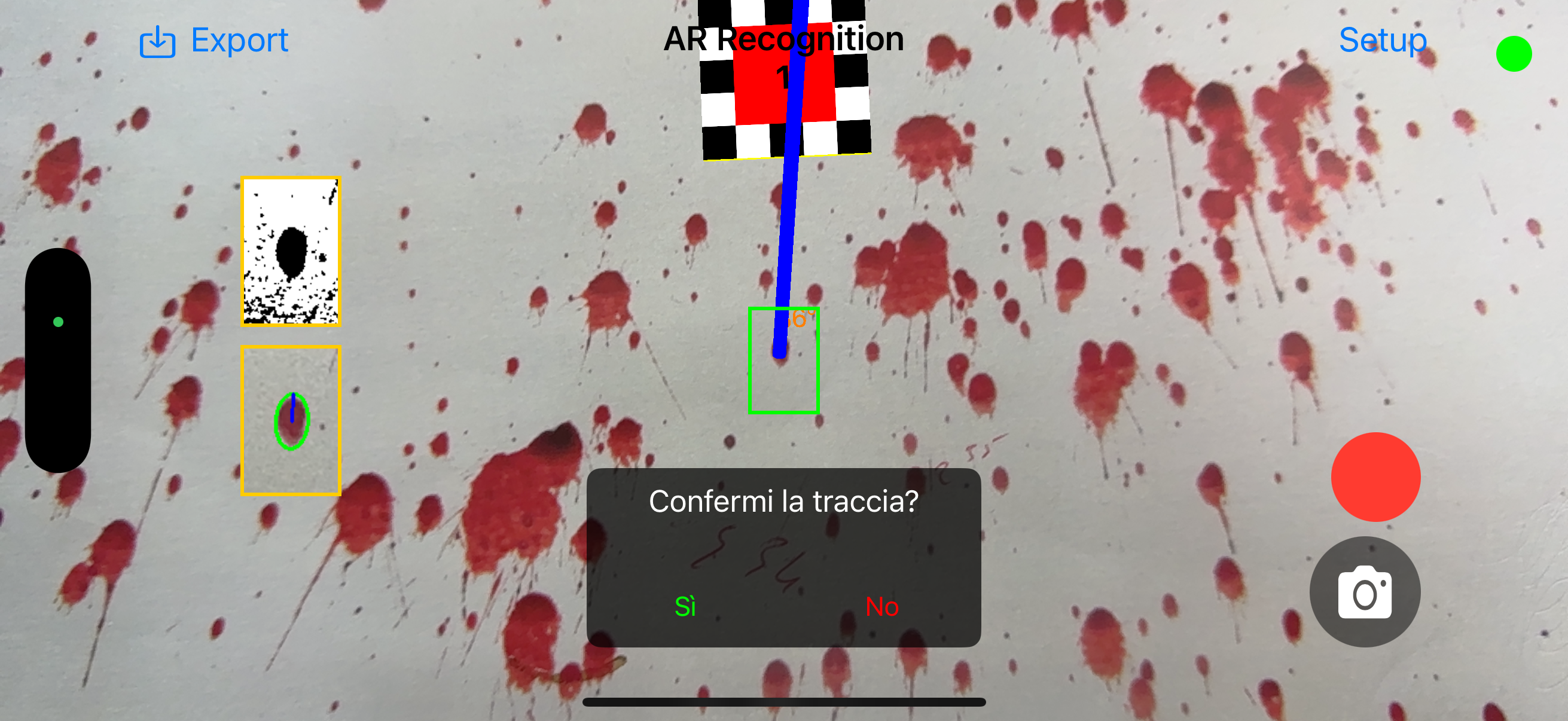
Bloodstain recognition and trajectory tracking
The device must be positioned parallel to the bloodstain and framed within the red rectangle, which turns green when the device’s angle is correctly aligned. By tapping anywhere on the display, the stain recognition process begins. Various filters are applied to approximate the stain to an ellipse, the direction of origin is calculated—assuming it is in front of the operator—and finally, the impact angle is determined.
Since this process occurs within a fraction of a second but not instantaneously, it is crucial to keep the device properly aligned.

Threshold and contrast
“If the bloodstain recognition is not satisfactory due to lighting, surface conditions, or other environmental factors, you can adjust the threshold and contrast applied by the filters in the setup page. These changes are applied in real time to the recently acquired stain, giving the operator a wide margin of control.”
Element removal
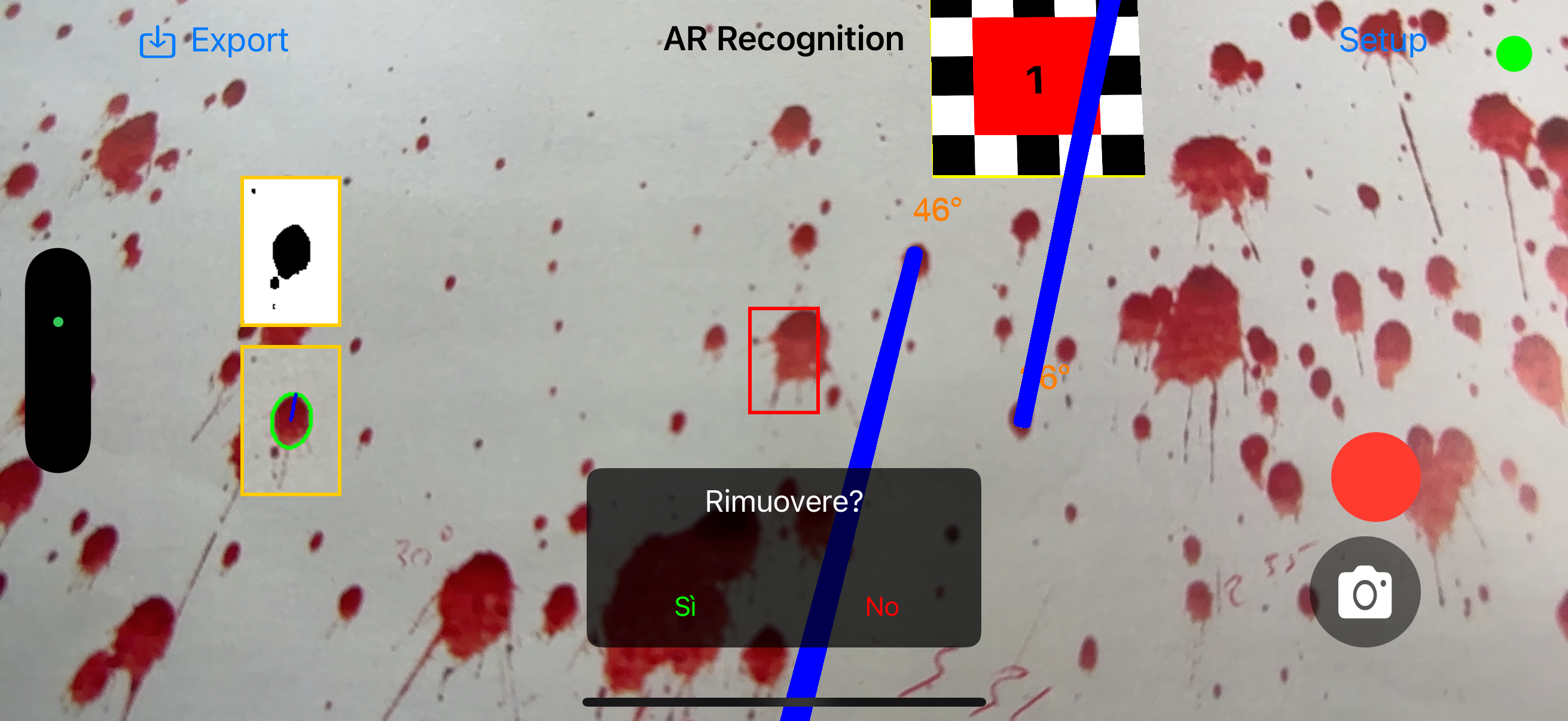
If you want to remove trajectories, this can be done by long-pressing on the trace.
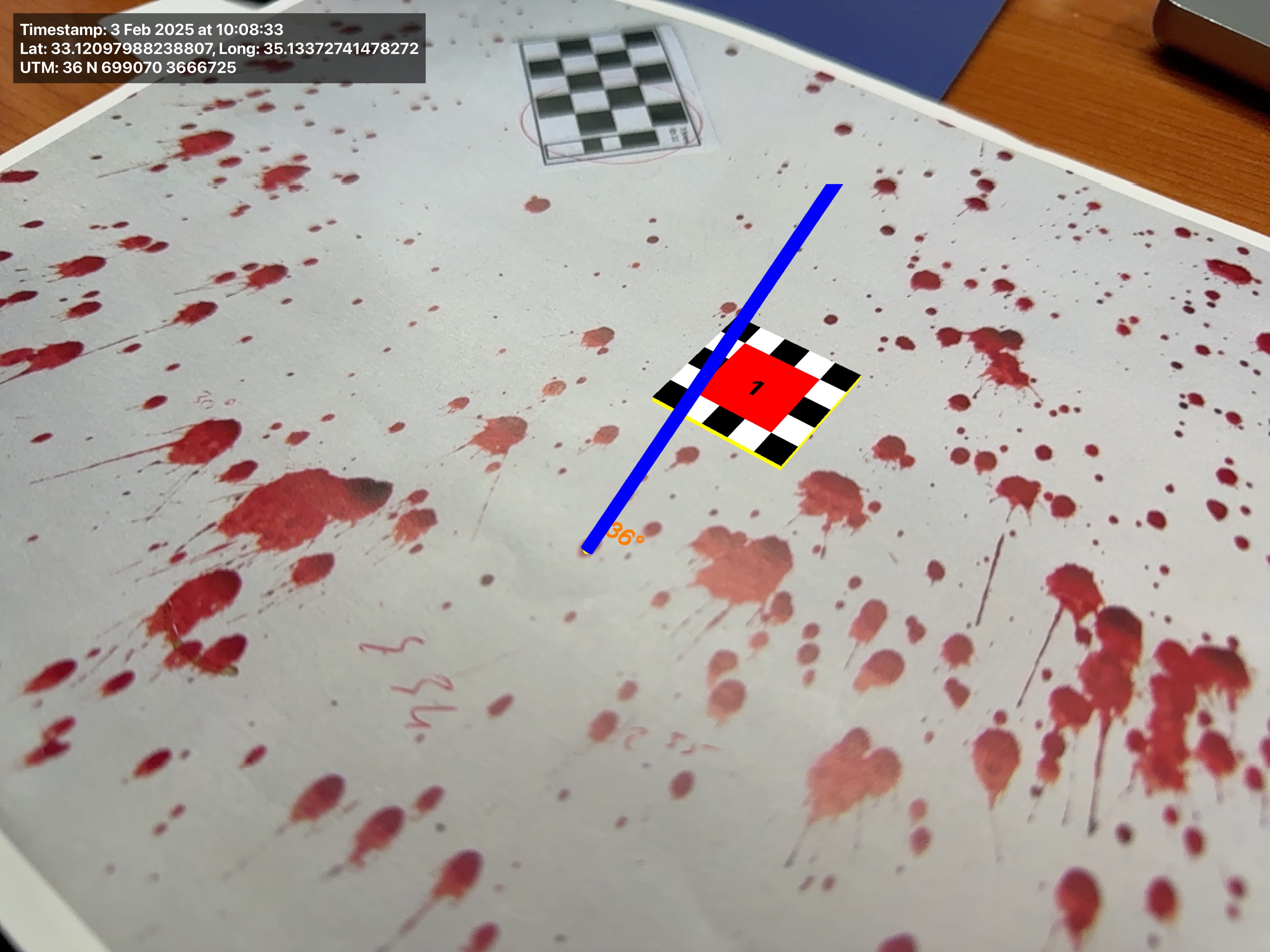
Image acquisition
Pressing the camera button captures two images: one original and the other with augmented reality elements overlaid.
The image also includes the timestamp and the geographic location in both raw coordinates and UTM format

Model export
All elements can be exported in USDZ format to your device for integration into a 3D environment acquired with other applications.
Disclaimer
ARBpa is a continuously evolving application. Like any software, it is subject to ongoing updates and may experience malfunctions.
This application is intended for educational and training purposes only. The developers and distributors of ARBpa assume no responsibility for any errors, inaccuracies, or malfunctions that may occur during its use. Furthermore, no liability is accepted for any damages, direct or indirect, resulting from the use or misuse of the application. Users are responsible for verifying the accuracy and applicability of the information provided and should not rely on ARBpa as a substitute for professional forensic analysis.
 forensictracks